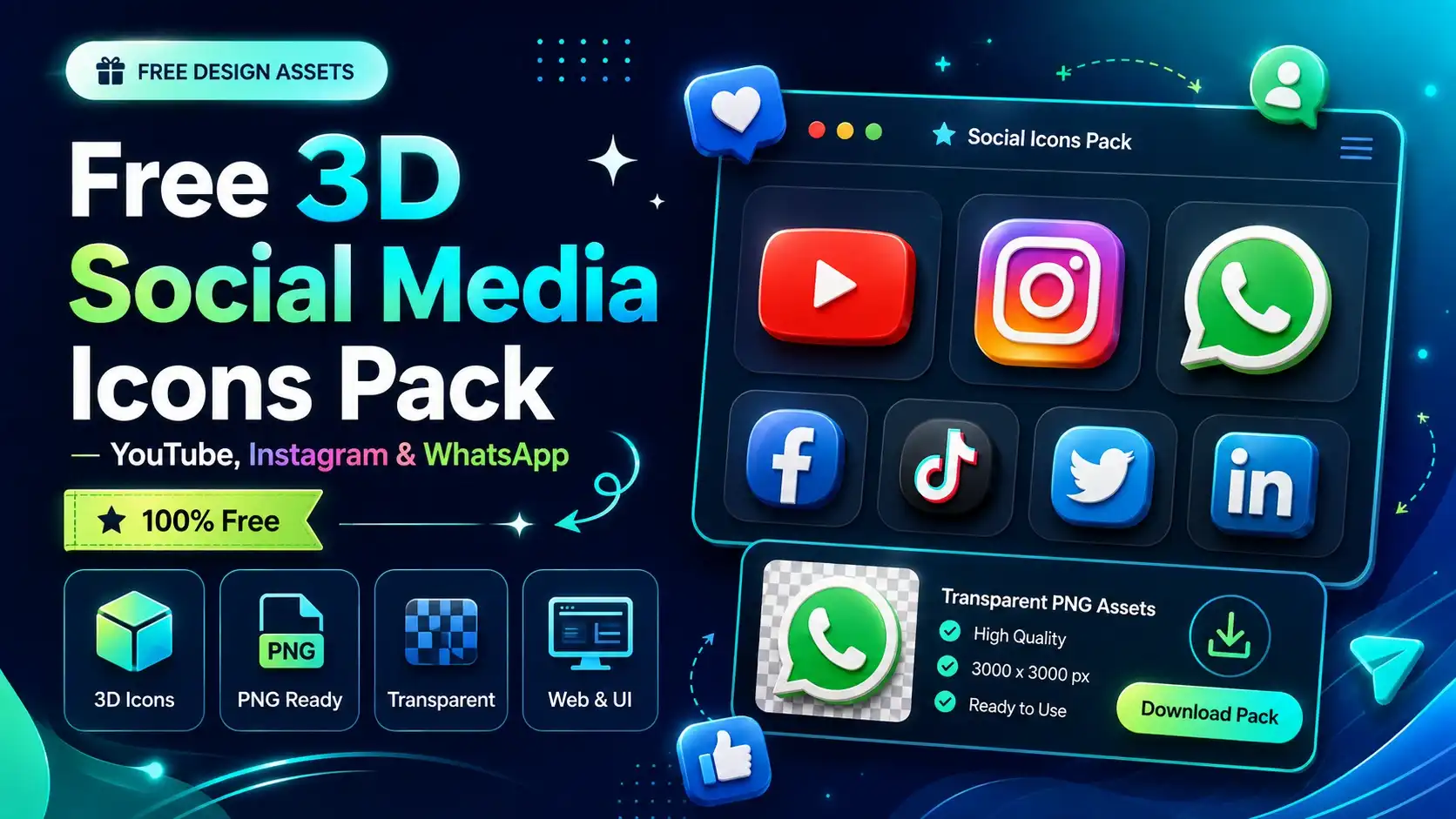
3D social media icons are an easy way to add depth, personality and visual interest to digital designs. Instead of using completely flat social badges, a carefully designed 3D icon can make a landing page, app interface, thumbnail or social media graphic feel more tactile and visually engaging.
This free collection brings together 3D social media and contact icons for popular platforms and common UI actions, including YouTube, Instagram, WhatsApp, phone, location and other communication-related icons. The assets are designed to be easy to use in creative workflows such as Figma, websites, mobile apps, presentations and social media graphics.
Along with downloadable assets, this guide also includes copy-paste AI prompts that can help you create additional 3D icon variations when you need a different style, color treatment or perspective.
What Are 3D Social Media Icons?
A 3D social media icon is a three-dimensional interpretation of a familiar platform symbol. Instead of appearing as a simple flat vector or monochrome glyph, the icon uses depth, lighting, shadows, bevels, reflections and materials to create a more dimensional appearance.
A 3D YouTube icon, for example, can transform the familiar play-button shape into a glossy object with rounded edges and soft lighting. The same approach can be applied to Instagram, WhatsApp, Facebook, TikTok, LinkedIn and other platforms.
These assets are particularly useful when a design needs more personality than a standard icon set provides. They can work as decorative elements, visual anchors, feature illustrations or supporting graphics around important calls to action.
Popular 3D Social Media & Contact Icons
Different icons can serve different purposes depending on the interface or creative project. Here are some of the most useful categories to consider.
3D YouTube Icon
A 3D YouTube icon works particularly well in video-related designs. Use it in YouTube thumbnails, creator portfolios, video landing pages, social media banners, presentation slides and websites that link to video content.
A rounded 3D treatment can make the familiar play-button symbol stand out without requiring a large amount of supporting text.
3D Instagram Icon
An Instagram 3D icon can add a colorful visual element to portfolio websites, creator pages, social profiles, link-in-bio layouts and promotional graphics.
Because Instagram's identity is strongly associated with vibrant colors, a dimensional treatment can create an especially noticeable visual accent when combined with a simple background.
3D WhatsApp Icon
A 3D WhatsApp icon is useful wherever direct communication is an important action. It can be placed next to contact buttons, customer-support sections, business profiles, landing pages and service websites.
3D Facebook Icon
A Facebook 3D icon can be used in social media sections, community pages, business websites, promotional graphics and social profile cards.
3D TikTok Icon
A 3D TikTok icon is particularly useful for creator-focused websites, social media campaigns, video projects, portfolio pages and promotional content.
3D LinkedIn Icon
A 3D LinkedIn icon can work well in professional portfolios, personal websites, agency pages, resumes and contact sections where visitors can connect with a professional profile.
3D Phone & Call Icons
A 3D phone icon or 3D call icon can be used to visually emphasize contact information, customer support, sales calls and appointment actions.
3D Location Icon
A 3D location icon is useful for office addresses, store locators, maps, delivery services, restaurant pages and location cards.
3D Email & Website Icons
Email and website icons are useful additions to contact sections, personal portfolios, agency websites, digital business cards and application interfaces.
Download More Free 3D Design Assets
Find more transparent 3D icons and creative resources in the theprompty library.
Browse 3D IconsWhere Can You Use 3D Social Media Icons?
3D icons are flexible visual assets because transparent PNGs can be placed over many different backgrounds. They can be used as primary interface elements or as supporting decorative graphics.
1. Website Landing Pages
Add social icons to hero sections, contact areas, footer sections, feature cards or promotional banners. A dimensional icon can help visually separate a social action from surrounding text.
2. Figma UI Designs
Designers can import transparent PNG icons directly into Figma and use them in landing pages, mobile app concepts, dashboards, social screens and presentation mockups.
3. Mobile App Interfaces
3D assets can be used in onboarding screens, account pages, connection screens, social login concepts and profile interfaces. They are especially effective when the overall application uses a soft or dimensional visual language.
4. YouTube Thumbnails
Large, recognizable social icons can help communicate the subject of a thumbnail quickly. Keep the icon large enough to remain readable at smaller thumbnail sizes.
5. Social Media Graphics
Use 3D icons in promotional posts, creator graphics, announcements, social banners and campaign visuals. Combining one strong 3D icon with simple typography can often produce a cleaner composition than using many decorative elements.
6. Presentations
3D icons can add visual variety to presentations about digital marketing, social media strategy, apps, websites, branding and technology.
7. Portfolio & Case Studies
Designers can use social and communication icons to create visual sections for project links, client communication, social profiles and supporting case-study graphics.
PNG vs SVG vs 3D Icons: Which Should You Use?
Choosing the right asset format depends on the purpose of your design.
- 3D PNG: Best when you want realistic lighting, shadows, gradients, materials and transparent backgrounds.
- SVG: Best for scalable interface icons, simple illustrations and situations where you need to edit individual vector paths.
- Flat icons: Best for simple interfaces where visual consistency and minimalism are more important than depth.
For hero sections, promotional graphics and visual-heavy designs, 3D PNG assets can provide more visual character. For navigation, buttons and compact interface controls, a simpler SVG icon may often be the better choice.
Tips for Using 3D Icons in UI Design
A 3D icon can look impressive on its own, but the surrounding design determines whether it actually improves the interface.
Keep the visual style consistent
Avoid mixing highly realistic icons with extremely flat icons unless the contrast is intentional. Similar lighting, perspective and material treatment usually create a more cohesive interface.
Don't use too many 3D elements
3D graphics naturally attract attention. Using too many large dimensional objects can make a layout feel crowded. Pick a few important areas where the visual treatment adds real value.
Use enough contrast
Transparent icons need sufficient contrast against the background. A light icon on a bright background can disappear, while a dark icon on a dark section may lose its shape.
Respect the visual hierarchy
The most important content should remain easy to understand. Icons should support the message instead of competing with the primary headline or call to action.
How to Use 3D Icons in Figma
Using transparent 3D PNG assets in Figma is straightforward. A typical workflow looks like this:
- Download the 3D icon you want to use.
- Open your Figma design file.
- Drag the PNG asset onto the canvas.
- Resize and position the icon within your layout.
- Adjust the surrounding typography, spacing and background for better contrast.
- Export your final design in the format required for your project.
Because transparent PNG assets do not require a background, they can be positioned over gradients, solid colors, cards, illustrations and other interface elements.
Copy-Paste AI Prompts for 3D Social Media Icons
Need an icon that is not available in the collection, or want to explore another visual style? The following prompts can be used as starting points for compatible AI image-generation tools.
3D YouTube Icon Prompt
Create a premium soft-rounded 3D icon of a YouTube-style play button. Clean modern UI illustration, smooth rounded bevels, polished glossy red material, subtle reflections, soft studio lighting, realistic ambient occlusion, gentle contact shadow, clean centered composition, three-quarter perspective, isolated object, transparent background, high detail, production-ready digital asset.
3D Instagram Icon Prompt
Create a premium 3D Instagram-style social media icon, rounded square shape with a camera symbol, vibrant pink, purple, orange and yellow gradient material, soft bevels, glossy finish, subtle reflections, modern mobile UI illustration, realistic studio lighting, ambient occlusion, three-quarter perspective, isolated object, transparent background, clean high-resolution digital asset.
3D WhatsApp Icon Prompt
Create a premium soft-rounded 3D WhatsApp-style messaging icon, vibrant green material, smooth bevels, glossy finish, subtle highlights and reflections, soft ambient studio lighting, gentle contact shadow, modern mobile UI illustration, three-quarter perspective, isolated object, transparent background, polished professional digital asset.
3D Phone Call Icon Prompt
Create a premium soft-rounded 3D smartphone call icon, clean modern mobile UI illustration, polished materials, smooth bevels, subtle reflections, soft ambient studio lighting, realistic ambient occlusion, gentle contact shadow, three-quarter top perspective, isolated object, transparent background, high-resolution professional digital asset.
3D Location Pin Prompt
Create a premium rounded 3D location pin icon, smooth dimensional shape, polished modern material, subtle reflections, soft studio lighting, realistic ambient occlusion, gentle contact shadow, clean minimal mobile UI illustration, three-quarter perspective, isolated object, transparent background, high-resolution digital asset.
How to Create Better 3D Icon Prompts
A good 3D icon prompt usually describes more than just the object. Including information about materials, lighting, perspective and background can help produce a more consistent visual result.
- Object: clearly describe the icon you want.
- Shape: mention rounded, soft, bevelled or geometric forms.
- Material: specify glossy, matte, glass, plastic or metallic finishes.
- Lighting: describe soft studio lighting or directional highlights.
- Perspective: specify front, isometric or three-quarter views.
- Background: request an isolated or transparent-style composition when supported.
- Quality: request a clean, polished, high-resolution asset.
Best Practices for 3D Social Icons on Websites
When using social icons as links, remember that the icon itself should not be the only way users understand its purpose. Provide descriptive accessible labels for interactive buttons and links.
For example, a social icon linking to a YouTube profile should have a meaningful accessible label such as "Visit our YouTube channel" rather than relying only on the visual symbol.
Also consider loading performance. Large PNG assets can increase page weight, so use appropriately sized images and modern compression where possible. Decorative assets that are not meaningful to the content can also use appropriate alternative text treatment.
Explore More Free 3D Icons
If you are looking for more than social media graphics, explore the complete 3D Icons Library. You can find additional visual assets for interfaces, websites, mobile apps, presentations and other creative projects.
The library is designed to make it easier for designers to find ready-to-use 3D visual assets instead of recreating common objects from scratch every time.
Explore the complete Free 3D Icons Library →
Frequently Asked Questions
Are these 3D social media icons free?
The theprompty collection is provided as a free resource. Before using an individual asset in a commercial or redistributed product, check the applicable usage information for that asset.
Can I use these icons in YouTube thumbnails?
Yes. Transparent 3D PNG assets can be used as visual elements in YouTube thumbnails and other graphic compositions. Make sure your final design follows the applicable platform and asset usage requirements.
Can I use the icons in Figma?
Yes. Transparent PNG assets can be imported directly into Figma and positioned like other image layers.
Can I use these icons on a website?
They can be used as visual assets in website designs. For interactive social links, remember to add appropriate accessible labels and make sure the asset's specific usage terms permit your intended use.
Can I create my own variations using AI?
Yes. The prompts above provide a starting point for generating new 3D icon concepts. You can modify the material, lighting, colors, perspective and overall style to match your project.
What makes a good 3D icon?
A good 3D icon generally has a clear silhouette, consistent perspective, controlled lighting, readable details and enough contrast to remain recognizable at the intended size.
How can I find more 3D assets?
Visit the theprompty 3D Icons Library to explore more free 3D visual resources.
Find Your Next 3D Icon
Explore the growing theprompty collection of free 3D icons and find ready-to-use visual assets for your next design.
Visit 3D Icons Library