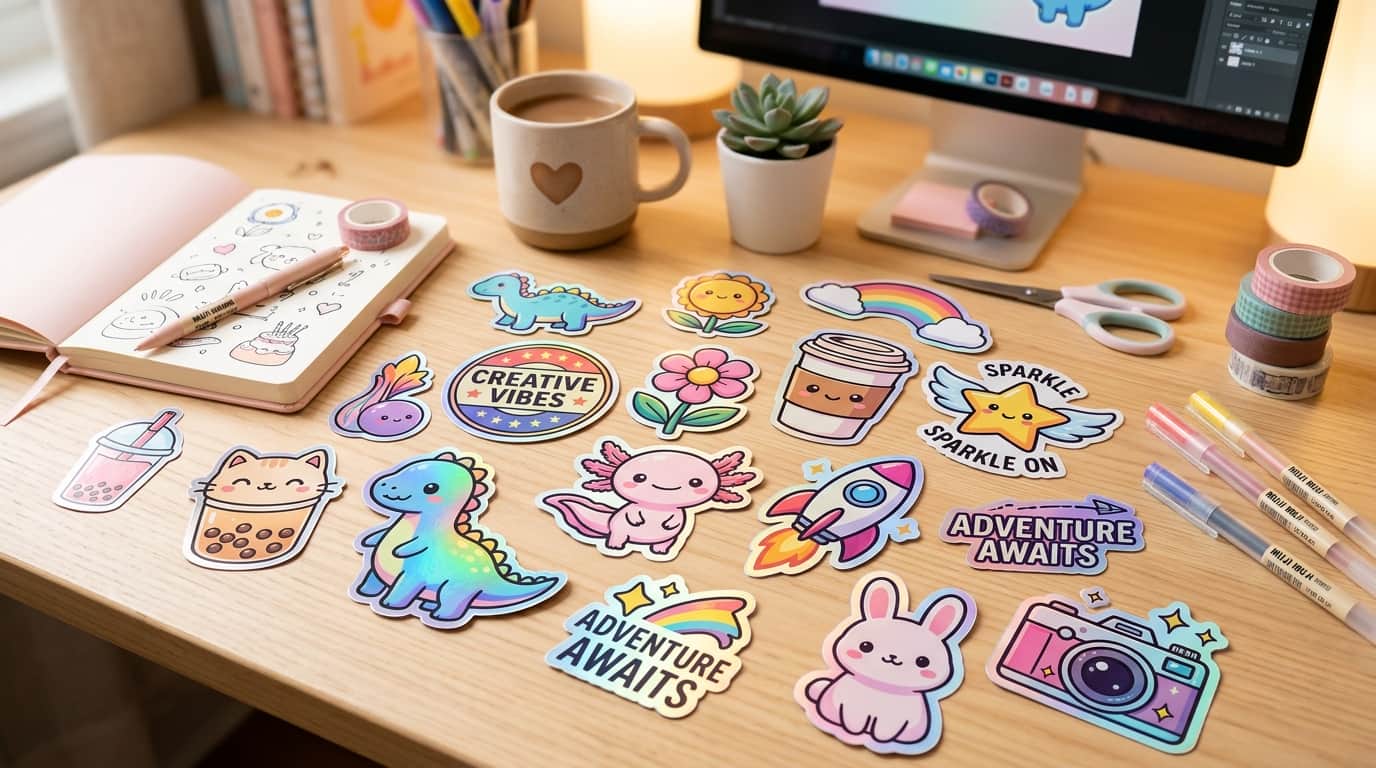
If you've spent any time on Etsy, Pinterest, or Redbubble, you've likely seen thousands of cute vinyl stickers decorating laptops, water bottles, and daily planners. Stickers are one of the highest-margin, low-risk digital products to sell online.
In the past, you needed years of graphic design experience in Adobe Illustrator to draw vector sticker packs. Today, with Midjourney v6 and DALL-E 3, you can design stunning die-cut stickers in under 60 seconds.
Whether you want to sell physical vinyl stickers (via print-on-demand services like Printify) or digital PNG/SVG sticker bundles for GoodNotes digital planners, this guide gives you the exact formula and copy-paste prompts to get started.
1. The Secret 'Die-Cut' Prompt Formula
To ensure Midjourney or DALL-E gives you clean sticker graphics with thick white outlines on isolated backgrounds, your prompt MUST contain specific visual trigger words.
die-cut sticker of [SUBJECT], [STYLE], thick white border, vector illustration, vibrant pastel colors, isolated on solid white background --v 6.0 --style raw
2. Top 6 High-Selling Copy-Paste Sticker Prompts
Prompt #1: Cute Kawaii Animal Sticker
Kawaii animals holding coffee cups or boba tea are top sellers year-round on Etsy.
Prompt #2: Retro 90s Vintage Badge Sticker
Retro synthwave badges and nostalgic 80s/90s icons appeal strongly to adult laptop decor buyers.
Prompt #3: Cozy Bookworm & Coffee Planner Sticker
Digital planner users on Etsy buy sticker bundles featuring cozy iced coffee, stacks of books, and autumn leaves.
Prompt #4: Waterproof Holographic Laptop Decal
Futuristic glassmorphic and holographic foil style stickers stand out in photo previews.
Prompt #5: Consistent Character Sticker Sheet
Want to sell a pack of 6 stickers featuring the SAME character in different poses? Use Midjourney's grid prompt:
Prompt #6: Mockup Display Image for Your Etsy Listing
You can even use Midjourney to generate professional lifestyle mockup backgrounds to display your stickers on Etsy!
3. Step-by-Step Workflow: From AI Prompt to Etsy Sale
Step 1: Background Removal (1-Click)
Upload your generated sticker image to free background removers like Clipdrop or PhotoRoom to remove the white backdrop, leaving a transparent PNG file with the white outline intact.
Step 2: Upscale to High Resolution (300 DPI)
Stickers must be printed crisp without blurry pixels. Use free AI upscalers like VanceAI or Upscayl to boost your image resolution to 3000x3000 pixels at 300 DPI.
Step 3: Connect Print-on-Demand (Zero Upfront Inventory Cost)
Connect your Etsy store to a print-on-demand service like Printify or StickerApp. When a customer buys your sticker on Etsy, Printify prints and ships the vinyl sticker directly to them!
Top Sticker Niche Comparison Matrix
| Sticker Niche | Target Buyer | Etsy Sales Potential |
|---|---|---|
| Kawaii Animals & Boba | Teens, Students, Anime fans | 🔥 Extremely High (High volume) |
| Cozy Planner & Coffee | Digital journalers, Stationers | 📈 Steady High (Digital bundles) |
| Retro 80s/90s Badges | Tech workers, Gamers, Laptop decor | ⭐ High Margin (Single decals) |
Summary Checklist for Your Sticker Shop
- Always bundle items: Sell 5-sticker theme packs instead of single stickers for higher order values ($7–$12 per pack).
- Offer PNG digital downloads: Many buyers want digital sticker files for iPad apps like GoodNotes and Notability.
- Test colors on raw mode: Use
--style rawin Midjourney v6 to get flatter vector colors without overly realistic shading.