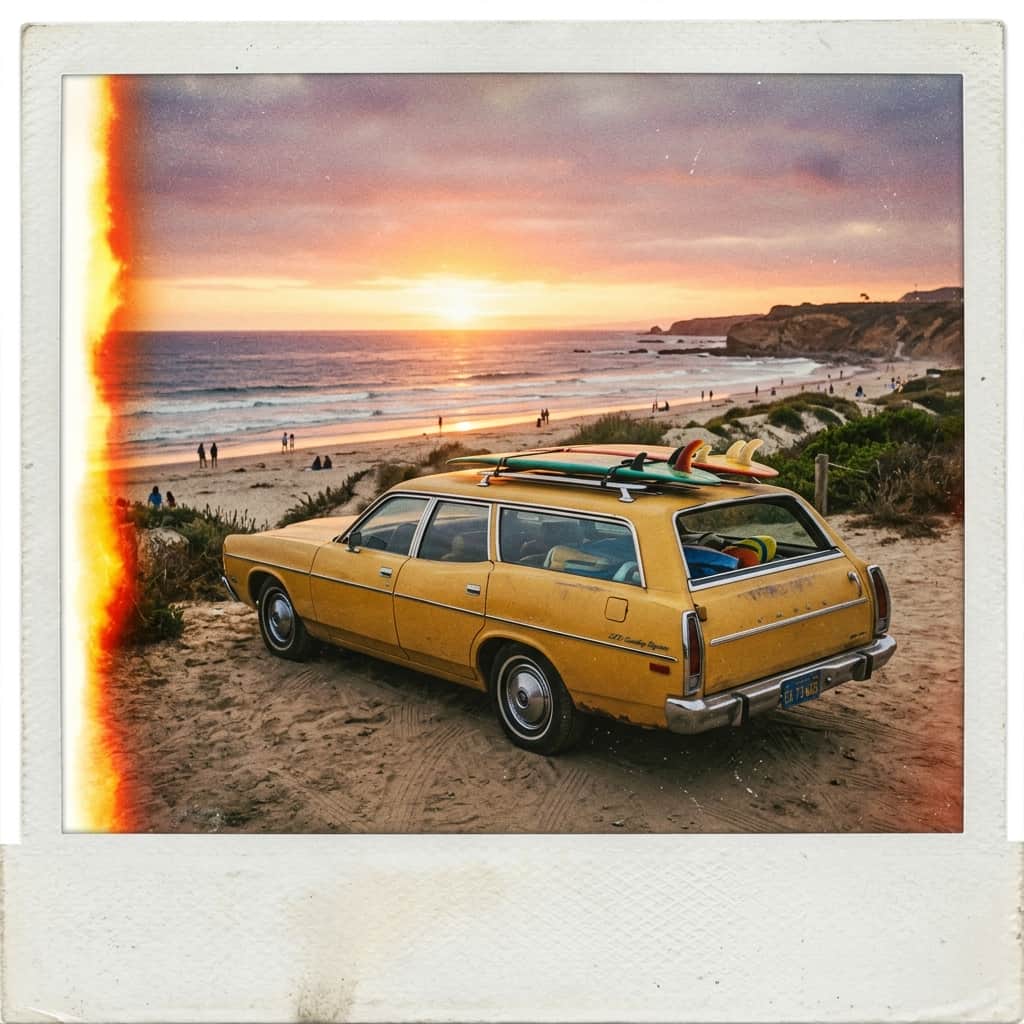
There is a unique warmth in old photographs. The faded colors, the soft glow around the edges, the subtle film grain, and even the slight imperfections of an old polaroid can make an image feel incredibly cozy and nostalgic. In our digital world of hyper-sharp smartphone photos, retro film cameras have made a massive comeback—but film rolls and development are expensive.
What if you could recreate those beautiful retro aesthetics instantly? Whether you want to capture the warm, golden vibes of the 1970s, the bright flash-pop look of the 1980s, or the soft camcorder grain of the 1990s, AI makes it incredibly easy to travel back in time. Here’s how you can prompt for retro nostalgia.
Understanding the Decades (How to Prompt Them)
Each decade has a specific camera style, light setting, and color tone. Adding these key phrases to your prompt will instantly tell the AI to skip the modern look and use a vintage lens:
1. The Golden 1970s (Warm & Hazy)
The 70s look is all about warm sunlight, faded colors, and a slightly hazy atmosphere. The images feel dusty, rich in oranges and browns, and rustic.
- Keywords to use: "1970s color photography", "faded film look", "warm vintage lighting", "Kodak Kodachrome style".
- Example: "A retro station wagon parked near a beach at sunset, 1970s color photography, faded film look, warm golden lighting, nostalgic cozy vibe."
2. The Flashy 1980s (Polaroid & Instant Prints)
The 80s are characterized by the birth of instant cameras. These photos have a distinct flash-exposed subject, dark backgrounds, and white polaroid borders.
- Keywords to use: "vintage polaroid snapshot", "flash photography look", "candid snapshot", "imperfections on film".
- Example: "A group of friends laughing around a kitchen table, vintage polaroid snapshot style, candid moment, high flash exposure, slightly blurry edges."
3. The Soft 1990s (Camcorder & Disposable Film)
Think back to old home videos or disposable cameras from family trips. The 90s look is defined by soft focus, mild film grain, and colors that are slightly washed out.
- Keywords to use: "90s disposable camera photo", "soft focus", "mild film grain", "nostalgic family photo look".
- Example: "A cozy living room on a rainy Sunday morning, 90s disposable camera style, soft focus, warm nostalgic film grain."
Step 2: Add Film Imperfections
Modern photos look perfect. To make your AI images look truly vintage, you actually want to ask the AI to add minor flaws! You can do this by appending these terms to the end of your prompts:
- "Light leak": Adds a warm orange glow on the edge of the photo, mimicking light leaking into an old camera body.
- "Dust and scratches": Mimics a scanned film slide.
- "Vignette": Gently darkens the outer corners of the image to draw focus to the center.
Give it a Try!
Recreating old memories or inventing nostalgic snapshots is one of the most rewarding ways to use AI art. Next time you write a prompt, add a camera name like "Leica M3" or a film stock like "Kodacolor 200" and watch the magic unfold. Have fun exploring the past!